After the draw · Two-person exchange
Check whether a drag moves or swaps teammates
Published:
A drag can move one person without sending anyone back. Check both team counts and memberships when exchanging two people after a random draw. If your tool needs a return move, complete it before exporting the final assignments.
We tested this at RandoTeams on November 2, 2026, Beijing time, with six invented labels J01 Aster through J06 Grove and two teams. Split All produced Team 1 with J04 Elm, J01 Aster and J05 Fern; Team 2 had J06 Grove, J03 Cedar and J02 Birch. This was a synthetic rehearsal, not a skill-balance test.
What happened after the first move?
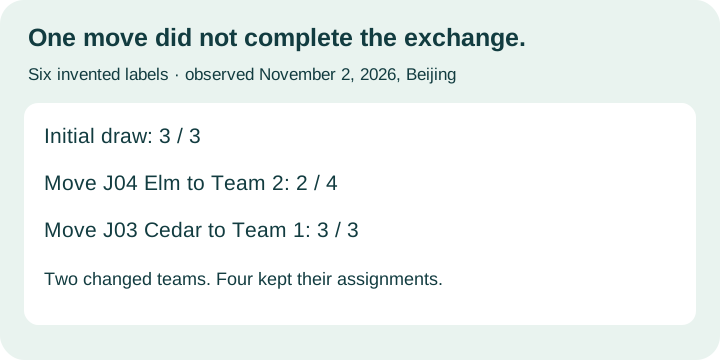
One drag made the teams uneven. Moving J04 Elm into the other team's member area changed Team 1 to two people and Team 2 to four. Elm appeared after Birch in Team 2, while Team 1 retained Aster and Fern. Nobody automatically moved back. The input still showed all six names, despite the changed team sizes.
The downloaded CSV preserved that intermediate state. Its columns were Team 1 and Team 2. It contained four data rows: Aster opposite Grove, Fern opposite Cedar, then an empty Team 1 cell opposite Birch and another empty cell opposite Elm. Those blank cells represented the shorter team, not two missing people; all six original labels remained in the file.
Did the second move redraw everyone?
The return move restored three per team. We dragged J03 Cedar from Team 2 into Team 1. Team 1 now contained Aster, Fern and Cedar; Team 2 contained Grove, Birch and Elm. Exactly two people changed teams from the first split: Elm and Cedar. Aster, Fern, Grove and Birch retained their original teams without another Split All click.
The second CSV had three data rows under the same two team headings. It matched the completed exchange, while the earlier download still held the two-versus-four intermediate result. Both original files are included with descriptive filenames and unchanged contents. Their original browser download names used the date November 1, while our local collection date was November 2 in Beijing.
How should you use this check?
Agree on the exchange before editing. Save the starting assignments, make the change, then verify both people exchanged teams and everyone else stayed put. Check the actual result cards and the final export, not only the input count or a general balanced-teams description.
Moving players after generation is already documented elsewhere. RandomTeamBuilder advertises drag-and-drop adjustments; TeamRetro explains a different full-group workflow that temporarily puts someone in Unassigned. We read those instructions but did not execute those services. A return drag is not the universal procedure for every generator.
Our record does not establish skill balance, automatically enforced capacity limits or behavior on every device. A different random first split will need different chosen names for the same rehearsal.
This changes teammates within one draw. Rotating roles, adding captains and checking partners across rounds are separate tasks. Random Team Split's main generator does not offer the tested drag controls; use a supported tool or a separately documented manual assignment record.
Original CSVs and replay
Both CSVs are unchanged browser downloads. The local check reads saved files and sends no requests.