Export checks
Random Team Generator CSV: Check Every Participant
Check a team CSV against both the original roster and the visible draw. Count the participant rows, compare each label and its frequency, then verify the team number beside every name. A correct total alone can hide a missing person and an accidental duplicate.
Open the random team generator →
Keep the draw on screen while checking
Generate your teams, then choose Export CSV. The file has two columns, Team and Name, and one participant entry per data row. Exclude the header when counting people. Save TXT from the same draw if you also want a plain-text reference.
Check the file before pressing Shuffle again or changing the team count. Both actions make a new draw. A file you already downloaded keeps the old assignments.
Try this eight-entry export check
Our synthetic fixture contains eight labels: Alex R / C01; Alex S / C02; Lee, Sam / C03; Jo "JJ" / C04; Zoë / C05; =Demo / C06; +Demo / C07; and @Demo / C08. These are test labels, not real participant details. The comma, quotation marks, accent and three leading symbols exercise different export cases.
Download the eight-entry test roster. Paste it into the generator, choose three teams and generate once. The counter should show eight people, and the team cards should contain three, three and two entries. Your teammate assignments will vary.
Download CSV and TXT without making another draw. Parse the CSV as a CSV file, rather than splitting every line at every comma. The comma in Lee, Sam belongs inside the Name cell. Jo's quotation marks remain part of the label after CSV decoding. Zoë should retain the accented letter.
The three labels beginning with =, + and @ receive a leading apostrophe in this site's CSV output. That is the export's spreadsheet-protection step. In the parsed file they are '=Demo / C06, '+Demo / C07 and '@Demo / C08. TXT and the visible cards keep the original labels. Account for that known change when comparing files; do not discard leading apostrophes from arbitrary names.
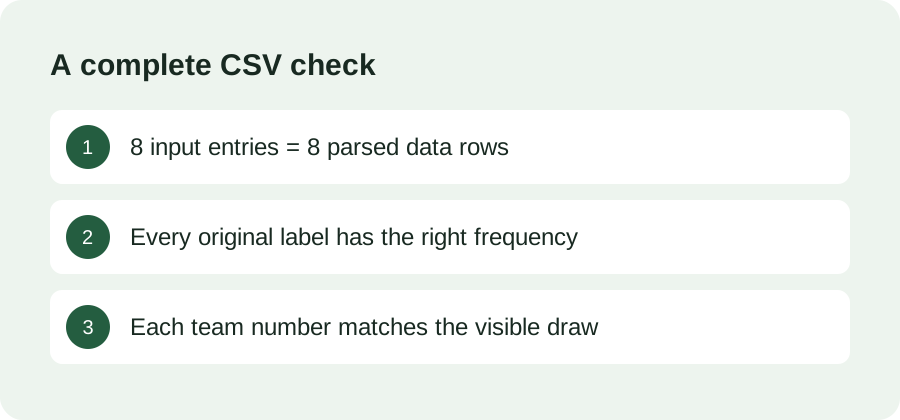
After decoding the eight CSV rows and reversing only that known export prefix, compare the labels with the eight input entries. Each code C01 through C08 must occur once. For each row, its Team value must match the card containing that label. Check all eight assignments, not just the total or the first team.
Would a row count catch this mistake?
Consider a deliberately broken copy of the fixture: replace Alex S / C02 with a second Alex R / C01. It still contains eight entries. A count-only check passes, but C02 is missing and C01 appears twice. Comparing occurrence counts against the original fixture catches both errors.
We exercised the original fixture on this generator at desktop and mobile widths, downloaded the actual CSV and TXT files, and compared every parsed label and team assignment with the visible cards. We also tested the broken input: the generator retained both C01 entries and counted eight people. It cannot determine whether a repeated label is a mistake. Correct the roster and make a fresh draw.
Why does my spreadsheet show extra columns?
Use its CSV import option and choose a comma delimiter with quotation-mark text handling. Check the preview before accepting the import. If the entire row appears in one column, revisit the delimiter. If Zoë is garbled, select UTF-8. Exact menu names depend on your spreadsheet application.
Should I remove duplicate names automatically?
Only remove an entry after checking who it represents. Two participants can share a name. Give them distinct initials or codes, then compare how many times each label should appear. The roster preparation guide covers that step before the draw.
Which file should participants follow?
Choose one checked draw, rename its file for your activity and date, and share that version. If you replace the draw, explicitly replace the shared file. A successful download does not establish that everyone received the current assignments.